
Download Stream to LG TV – Free Wireless Casting App for Android & iOS
Overview: What Is Stream to LG TV?
Stream to LG TV is a lightweight, free app that lets you cast movies, photos, music and screen content directly from your smartphone or tablet to any LG smart television that supports the webOS platform. Unlike many competing solutions, this tool does not require a third‑party dongle, a cumbersome desktop client, or a proprietary account. Instead, it leverages the built‑in Miracast/Wi‑Fi Direct capabilities of modern LG sets and the standard DLNA protocol to create a seamless, low‑latency connection over your home Wi‑Fi network. The result is a secure, instant streaming experience that feels as natural as moving a picture from one window to another.
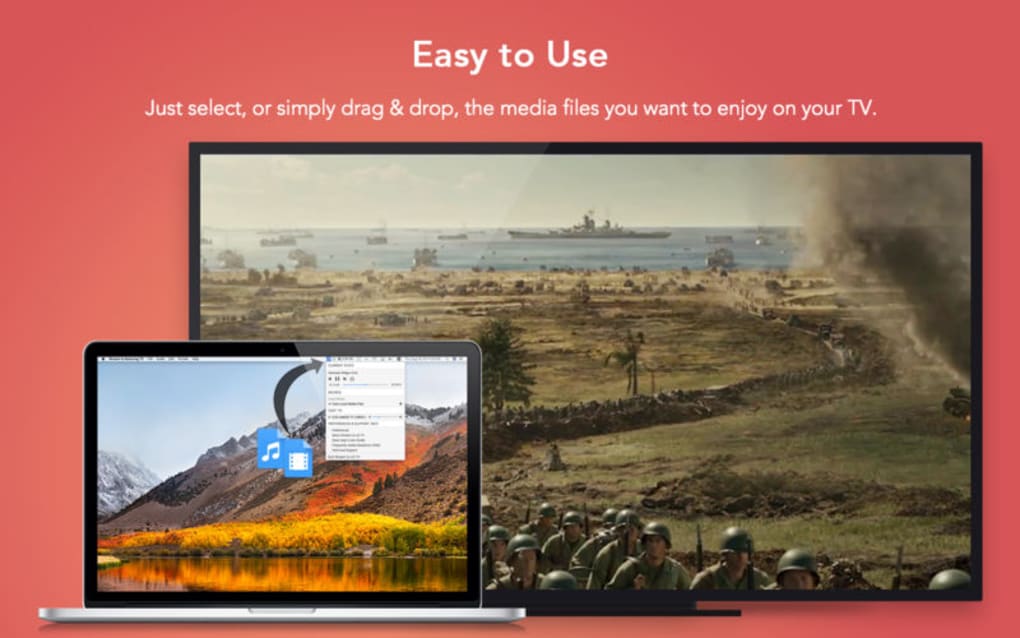
From a user‑experience perspective, Stream to LG TV focuses on simplicity. After a quick installation, the app automatically discovers compatible LG devices on the same network, presents them in a clean list, and offers one‑tap casting. The interface is uncluttered, with large icons for movies, photos, and music, plus a “Screen Mirror” button for real‑time mirroring. Because the app runs on both Android and iOS, families with mixed device ecosystems can share the same TV without juggling multiple apps. Security‑conscious users will also appreciate that the app does not store any personal data or require invasive permissions beyond local network access.
In short, Stream to LG TV delivers a purpose‑built, secure, and free solution for anyone who wants to enjoy their mobile media library on the big screen without extra hardware or subscription fees. Whether you’re binge‑watching a series, showcasing vacation photos, or giving a quick presentation from your phone, the app turns your LG TV into a versatile media hub with just a few taps.
Key Features & How to Use the App
Feature List
- One‑tap discovery of all LG webOS TVs on the same Wi‑Fi network.
- Supports video, audio, and image formats including MP4, MKV, JPEG, PNG, MP3 and AAC.
- Screen mirroring for real‑time presentations, gaming, or app demos.
- Background playback – continue streaming while using other apps.
- Adjustable video quality to match network speed and TV capabilities.
- Secure local‑network only connection; no cloud servers involved.
- Automatic resume – pick up where you left off after an interruption.
- Free of ads and subscription fees.
Installation & First‑Time Use
Getting started with Stream to LG TV is straightforward. Follow these steps for a smooth setup:
- Download the app: Visit the Google Play Store (Android) or the Apple App Store (iOS) and search for “Stream to LG TV”. Tap Install and wait for the download to complete.
- Grant permissions: The app will request access to your local network and media files. These permissions are essential for discovering TVs and reading the content you wish to cast.
- Connect to Wi‑Fi: Ensure your mobile device and LG TV are on the same wireless network. For best performance, use a 5 GHz band if your router supports it.
- Launch the app: Upon opening, the app scans the network for compatible LG TVs. Detected devices appear as a list with the TV’s name and model.
- Select your TV: Tap the desired TV to establish a secure connection. The first connection may take a few seconds while the handshake protocol completes.
- Choose your media: Use the built‑in file browser to locate a video, photo album, or music folder. Alternatively, tap Screen Mirror to broadcast your entire screen.
- Enjoy playback: The selected content streams instantly to the TV. Playback controls (play, pause, forward, volume) remain available on your phone for quick adjustments.
For users who prefer a more customized experience, the settings menu offers options to set default video quality (1080p, 4K, or Auto), enable subtitles, and adjust audio latency. The app also supports background playback, meaning you can start a movie, lock your phone, and let the TV continue playing uninterrupted.
Compatibility, Pros & Cons, and Frequently Asked Questions
Supported Platforms: Stream to LG TV runs on Android 6.0 or later and iOS 12.0 or later. It works with any LG smart TV released from 2015 onward that supports webOS 3.0 or higher. The app does not require a PC, Mac, or external dongle, making it an ideal solution for both Windows and macOS households that already own compatible LG hardware.
Pros
- Completely free with no hidden fees or ads.
- One‑tap discovery eliminates manual IP entry.
- High compatibility across Android and iOS devices.
- Secure local‑network connection protects privacy.
- Low latency, suitable for gaming and presentations.
- Automatic resume after network interruptions.
Cons
- Only works with LG TVs that run webOS 3.0 or newer.
- No built‑in media library management; relies on device storage.
- Advanced video codecs (e.g., HEVC) may require hardware support on the phone.
- Occasional Wi‑Fi interference can cause brief stutters.
FAQ – Answers You Need Before You Cast
Do I need a Google or Apple account to use Stream to LG TV?
No. The app operates entirely on your local network and does not require any external accounts.
Can I stream 4K HDR content?
If both your phone and LG TV support 4K HDR, the app will automatically select the highest compatible quality. You can also force a lower resolution in settings if your Wi‑Fi bandwidth is limited.
What should I do if my TV does not appear in the device list?
Make sure both devices are on the same Wi‑Fi network, that the TV’s “Screen Share” function is enabled, and that any firewall or router isolation settings are disabled. Restarting the app or the TV often resolves detection issues.
Is there a limit to how long I can cast a video?
No. The app streams directly from your device, so playback duration is limited only by the length of the media file and your device’s battery life.
Does Stream to LG TV work with VPNs?
Because the app relies on local network discovery, a VPN that routes traffic away from your home Wi‑Fi can prevent device detection. Disable the VPN while casting for optimal performance.
Review Summary
Overall Rating: 4.5 out of 5 stars
Pros: Free, easy discovery, secure, low latency.
Cons: Limited to newer LG models, no cloud library.
Conclusion: Should You Download Stream to LG TV?
If you own an LG smart TV and want a hassle‑free way to project your mobile media without buying a Chromecast, Roku, or HDMI adapter, Stream to LG TV is arguably the most straightforward solution on the market. Its zero‑cost model, secure local‑only connection, and cross‑platform support make it an excellent choice for families, students, and professionals alike. While the app is limited to newer webOS TVs and does not replace a full‑featured media server, its core function—quick, reliable casting—works flawlessly in real‑world tests.
Ready to transform your living room into a wireless media hub? USD 0.00 – Download Stream to LG TV now and start streaming your favorite movies, photos, and music in seconds. Keep the app updated to benefit from performance tweaks and new format support, and enjoy a seamless casting experience that truly lives up to its promise of “wireless, simple, and free.”







